Step 1: Identify Critical Accounts
Begin by identifying the accounts and systems that contain sensitive business information. Prioritize administrator accounts, email platforms, financial systems, cloud services, VPN access, and customer databases.
01 Aug 2026
Passwords have long been the primary method of protecting online accounts, but they are no longer enough to defend against today’s sophisticated cyber threats. Stolen credentials, phishing attacks, malware, brute-force attacks, and password reuse continue to expose businesses to data breaches and unauthorized access.
Two-Factor Authentication (2FA) adds an additional verification layer that significantly improves account security. Instead of relying only on a password, users must confirm their identity using a second authentication factor, making it much more difficult for attackers to gain access.
Whether you manage customer portals, business applications, cloud platforms, banking systems, or employee accounts, implementing Two-Factor Authentication is one of the most effective cybersecurity measures available. It helps organizations reduce security risks, improve compliance, and build customer confidence while protecting valuable business information.
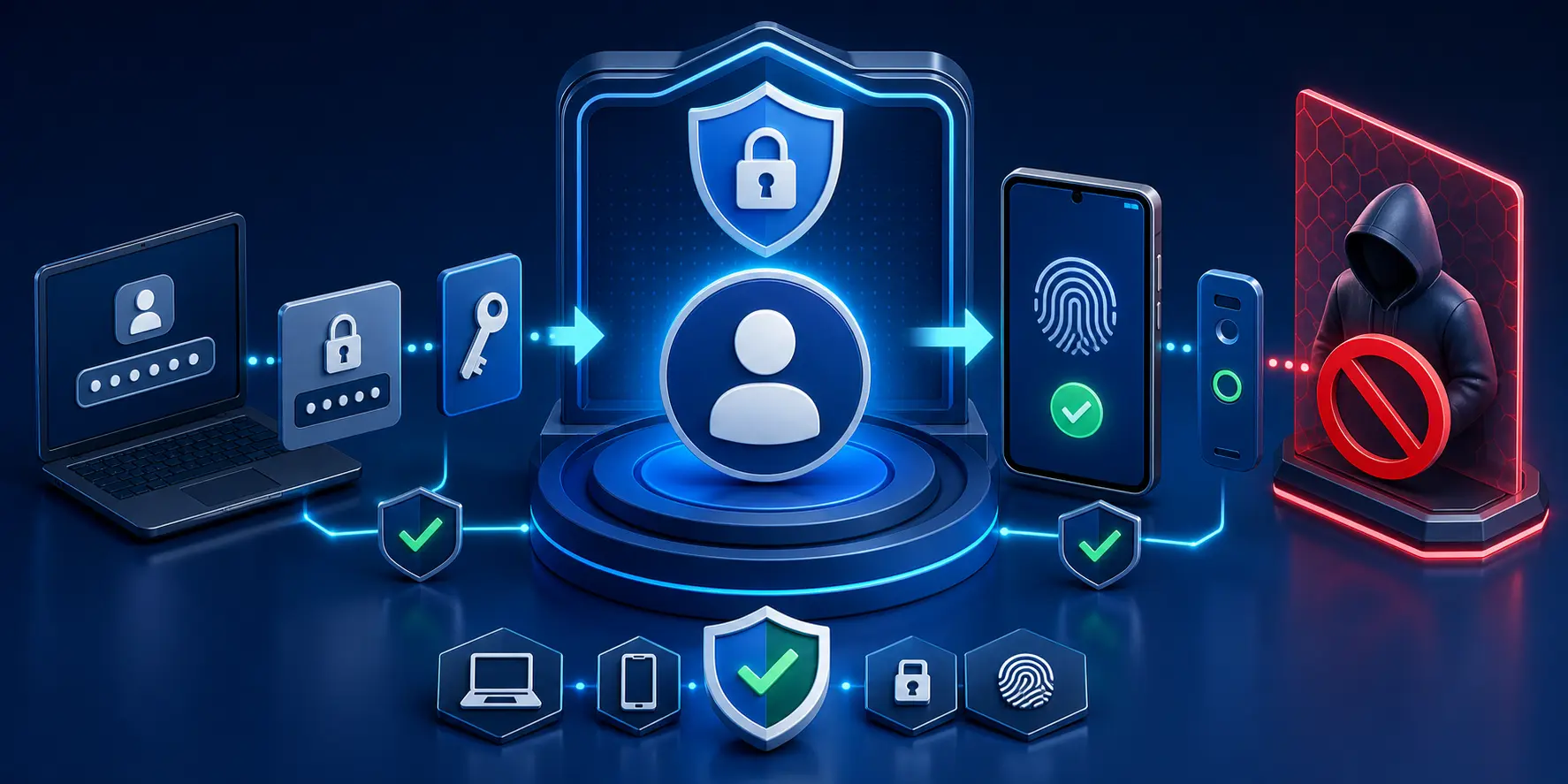
Two-Factor Authentication (2FA) is a security process that requires users to verify their identity using two different authentication factors before they can access an account or application. It combines something the user knows, such as a password, with something they have or something they are, creating an additional layer of protection.
Unlike traditional password-only logins, 2FA makes it much harder for cybercriminals to compromise accounts. Even if a password is stolen, attackers still need access to the second verification method before they can log in successfully.
Businesses use Two-Factor Authentication to protect:
As remote work, cloud computing, and online transactions continue to grow, 2FA has become an essential part of modern cybersecurity strategies.
Two-Factor Authentication follows a simple but highly effective verification process that confirms a user’s identity before granting access to a system or application.
The authentication process begins when a user enters their username and password. Once the password is validated, the system requests a second verification factor. This second factor may be a one-time password (OTP), a push notification, a biometric scan, or a hardware security key.
Only after both authentication factors are successfully verified does the system allow the user to access the account.
This layered security approach protects organizations from credential theft because attackers cannot gain access with only a stolen password.
The typical authentication process includes:
Organizations can implement different authentication methods depending on their security requirements, compliance obligations, and user experience goals.
| Authentication Method | Description | Best For |
|---|---|---|
| SMS OTP | One-time verification code sent through SMS. | Banking, customer portals |
| Email OTP | Verification code delivered to a registered email address. | Business applications |
| Authenticator Apps | Time-based one-time passwords generated on a trusted device. | Microsoft 365, Google Workspace |
| Push Notifications | Login approval sent directly to a trusted smartphone. | Cloud applications |
| Hardware Security Keys | Physical USB or NFC security devices used during login. | Enterprise security |
| Biometric Authentication | Fingerprint, facial recognition, or iris verification. | Mobile devices and laptops |
Businesses often combine multiple authentication methods to balance security, convenience, and user experience.
Cybercriminals constantly look for ways to steal usernames and passwords through phishing emails, malware, credential stuffing, and brute-force attacks. Once credentials are compromised, unauthorized users can access sensitive business information, financial systems, and customer data.
Two-Factor Authentication greatly reduces this risk by requiring a second independent verification step before access is granted. Even if attackers successfully steal a password, they still cannot access the account without the additional authentication factor.
Implementing 2FA provides organizations with several important advantages:
In today’s digital landscape, Two-Factor Authentication is considered one of the simplest and most cost-effective ways to improve cybersecurity without disrupting user productivity.
Organizations that implement Two-Factor Authentication strengthen their overall cybersecurity posture while improving trust among customers, employees, and business partners.
The biggest advantage of 2FA is that it prevents unauthorized account access, even when passwords have been exposed through phishing attacks or data breaches. This additional verification layer significantly reduces the likelihood of account takeover incidents.
Key business benefits include:
Organizations that combine strong password policies with Two-Factor Authentication create a much stronger defense against evolving cyber threats while supporting secure digital transformation initiatives.
Yes. Two-Factor Authentication (2FA) is one of the most reliable and widely recommended security measures for protecting online accounts and business applications. While passwords remain the first line of defense, they can be compromised through phishing, malware, credential stuffing, or brute-force attacks. Adding a second authentication factor significantly reduces the likelihood of unauthorized access.
Modern 2FA solutions are designed to balance security and usability. Whether the second verification is an OTP, biometric scan, authentication app, or hardware security key, it provides an additional checkpoint before granting access. Even if attackers obtain login credentials, they cannot complete the authentication process without the second verification factor.
Businesses that implement 2FA benefit from:
Although no security measure can eliminate every cyber risk, Two-Factor Authentication dramatically lowers the chances of compromised accounts and strengthens an organization’s overall cybersecurity posture.
Implementing Two-Factor Authentication is a straightforward process that helps organizations secure employee accounts, customer portals, cloud platforms, and business applications. Proper planning ensures a smooth rollout while minimizing disruption for users.
Begin by identifying the accounts and systems that contain sensitive business information. Prioritize administrator accounts, email platforms, financial systems, cloud services, VPN access, and customer databases.
Select the authentication method that best fits your organization’s needs. Businesses can use SMS verification, authenticator applications, push notifications, biometric authentication, or hardware security keys depending on the required level of security.
Enroll employee devices such as smartphones, authentication applications, or security keys. Ensure backup authentication methods are available in case users lose access to their primary device.
Define when users must complete second-factor verification. Many organizations require 2FA for every login, while others enable adaptive authentication based on location, device, or risk level.
Before organization-wide deployment, verify that authentication works correctly across different devices, browsers, operating systems, and applications.
Continuously monitor authentication logs, review suspicious login attempts, educate employees about phishing attacks, and update authentication methods as technology evolves.
Although Two-Factor Authentication and Multi-Factor Authentication are closely related, they are not identical. Two-Factor Authentication always uses exactly two verification methods, while Multi-Factor Authentication may require two or more authentication factors depending on the organization’s security requirements.
| Feature | Two-Factor Authentication (2FA) | Multi-Factor Authentication (MFA) |
|---|---|---|
| Number of Authentication Factors | Exactly two | Two or more |
| Security Level | High | Very High |
| Authentication Process | Password plus one additional verification method | Password plus multiple verification methods |
| User Experience | Faster and simpler | More comprehensive but slightly longer |
| Best Suited For | Small and medium-sized businesses | Large enterprises and highly regulated industries |
| Examples | Password + OTP, Password + Authenticator App | Password + Biometric + Security Key |
For most businesses, Two-Factor Authentication provides an excellent balance between security and ease of use. Organizations handling highly sensitive information may benefit from implementing Multi-Factor Authentication for additional protection.
Every industry that stores customer information, financial records, or confidential business data should implement Two-Factor Authentication. As cyberattacks continue to increase across all sectors, strengthening user authentication has become a critical cybersecurity requirement.
Financial institutions use 2FA to secure online banking, payment processing, and digital transactions. Healthcare organizations rely on strong authentication to protect electronic medical records and patient portals. Educational institutions use it to secure student information systems, while eCommerce businesses protect customer accounts and payment gateways.
Industries that benefit from 2FA include:
Regardless of business size, implementing Two-Factor Authentication helps reduce cybersecurity risks while protecting valuable digital assets.
Although Two-Factor Authentication significantly improves security, organizations should be prepared to address common implementation challenges. Understanding these challenges helps businesses improve user adoption and maintain a smooth authentication experience.
Some users may experience delays when receiving SMS verification codes, while others may lose access to registered devices. Legacy business applications may also require additional configuration before supporting modern authentication methods.
Common challenges include:
Businesses can overcome these challenges by providing employee training, enabling backup authentication methods, and choosing authentication solutions that offer flexibility across multiple devices.
Successful implementation requires more than simply enabling an authentication feature. Organizations should integrate Two-Factor Authentication into their overall cybersecurity strategy and educate employees on secure login practices.
Recommended best practices include:
Following these practices helps organizations maximize the effectiveness of Two-Factor Authentication while reducing operational risks.
While Two-Factor Authentication (2FA) is not mandatory for every business, many industries and compliance frameworks strongly recommend or require it to protect sensitive data and user accounts. Implementing 2FA helps reduce the risk of unauthorized access, data breaches, and account compromise.
Hardware security keys and authenticator apps are generally considered more secure than SMS-based OTPs because they are less vulnerable to phishing, SIM-swapping, and message interception. Businesses should choose the authentication method based on their security requirements and user convenience.
Although no security solution is completely foolproof, Two-Factor Authentication makes unauthorized access significantly more difficult. Most cyberattacks fail because attackers cannot provide the second verification factor. Combining 2FA with strong passwords, employee awareness training, and continuous monitoring offers even greater protection.
Modern 2FA solutions are designed to provide strong security with minimal disruption. Authentication apps, push notifications, and biometric verification allow users to securely access their accounts within seconds while improving overall protection against cyber threats.
Organizations should enable Two-Factor Authentication for all critical accounts, including administrator accounts, business email, cloud applications, VPN access, customer portals, financial systems, CRM platforms, and any application containing confidential business or customer information.
Businesses should review their authentication policies regularly, especially after major software updates, infrastructure changes, security incidents, or compliance audits. Periodic reviews help ensure authentication methods remain effective against evolving cyber threats and align with current security best practices.