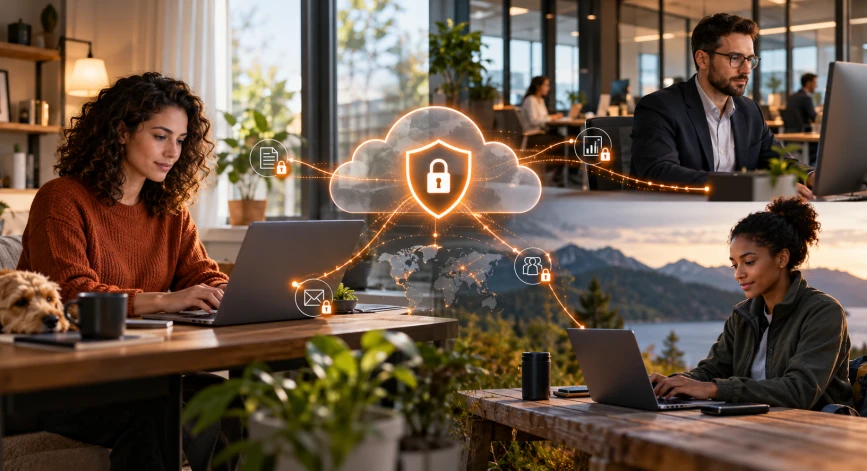
Why Remote and Hybrid Workforces Need Better Security
Remote work has changed the way employees connect to business systems. An employee working from home may use the same cloud applications as someone sitting in the corporate office, but their network environment is different.
Traditional security models often route traffic through a central office or data center. Depending on the architecture, this can introduce additional complexity for remote users and may not provide consistent visibility into all internet activity.
Hybrid workforce security requires organizations to consider several risks.
Unsecured networks and risky connections
Employees may connect through home routers, public Wi-Fi, or networks that the company does not manage. These environments can expose users to risks if devices, connections, or applications are not adequately protected.
Phishing and web-based threats
Remote employees frequently depend on email, browsers, and cloud applications to complete their work. A malicious link or compromised website can expose credentials, introduce malware, or lead to unauthorized access.
Inconsistent security policies
When employees work from different locations, applying consistent web access and security policies can become more complicated. Businesses need an approach that accounts for supported remote devices and connections.
Unauthorized access to business information
Employees may use applications or share files in ways that do not align with company policies. Organizations need appropriate identity controls, access permissions, monitoring, and data protection measures to reduce these risks.
Limited visibility into internet activity
Security teams need enough visibility to investigate suspicious connections, identify policy violations, and respond to potential incidents. Visibility can be harder to maintain when users connect from many different networks.
Addressing these challenges requires more than a VPN or a single security tool. Businesses should consider identity, endpoint security, internet traffic inspection, data protection, and incident response as parts of a wider security strategy.
How Zscaler Remote Workforce Security Works
Zscaler offers cloud-delivered security services that help organizations apply security policies to supported user traffic across different locations. Rather than relying exclusively on a security appliance at the corporate office, businesses can evaluate cloud-based controls for protecting internet and SaaS access.
A key service is Zscaler Internet Access (ZIA), which focuses on securing access to the public internet and cloud applications. For private business applications, organizations may also evaluate Zscaler Private Access (ZPA), which serves a different purpose.
Secure internet traffic through cloud-delivered controls
With an appropriate deployment, supported traffic can be directed through Zscaler’s cloud security platform. Policies can inspect traffic and help prevent access to malicious destinations or restrict activity that violates organizational rules.
Apply consistent policies across locations
Organizations can configure security policies to support employees working from the office, home, or other locations. The actual policy coverage depends on user onboarding, device support, traffic forwarding, licensing, and configuration.
Improve visibility for security teams
Security logs and reporting can help administrators review internet activity, investigate suspicious events, and understand how policies are being applied. Available information depends on the selected services and configuration.
Support secure access to cloud applications
Employees rely on SaaS tools for collaboration, customer management, document sharing, and other business functions. Relevant Zscaler capabilities can help organizations apply security controls to supported applications and reduce certain risks associated with their use.
The objective is to maintain appropriate security controls without requiring every employee to work from the corporate network.
Zscaler for Remote Workers: Key Security Benefits
Organizations evaluating Zscaler for remote workers should focus on the security outcomes they need rather than simply counting product features.
1. Consistent internet security
Remote employees need protection even when they are not connected to the office network. Zscaler Internet Access can help apply configured web security and threat prevention policies to supported traffic across different locations.
2. Protection against malicious websites
Web filtering and threat protection capabilities can help block access to known malicious destinations and reduce exposure to certain phishing and malware threats. These controls should complement endpoint protection, email security, and user awareness training.
3. Better control over cloud application usage
Cloud applications can create data security challenges when employees use services outside approved business processes. Depending on the licensed capabilities, organizations can evaluate application visibility and data protection controls to support their policies.
4. Centralized policy management
A cloud-delivered approach can help organizations manage selected security policies centrally rather than maintaining separate configurations across numerous locations. The extent of centralization depends on the wider security architecture.
5. Support for a distributed workforce
Businesses with remote employees, branch offices, and mobile teams can evaluate cloud-delivered security as part of their strategy for maintaining consistent internet protection.
6. A foundation for broader zero trust security
Zscaler’s platform supports zero trust security principles. However, an effective zero trust strategy also requires appropriate identity verification, access policies, device security, and continuous review of access decisions.
Zscaler Secure Remote Access and Zero Trust Security
Secure remote access is not simply about connecting an employee to the company network. Organizations must also consider which applications the employee can access, whether the request meets security policies, and how sensitive information is protected.
This is where Zscaler zero trust security becomes relevant.
What is zero trust security?
Zero trust is a security approach based on the principle that access should not be automatically trusted because a user or device is connected to a particular network. Access decisions should consider identity, permissions, device posture where supported, and other relevant security context.
How Zscaler supports zero trust internet access
Zscaler Internet Access supports secure internet and SaaS access through cloud-delivered security controls. It can help organizations apply policies to supported traffic, inspect web activity, and reduce exposure to malicious destinations.
For private applications, Zscaler Private Access provides a separate set of capabilities designed for policy-based access to internal resources without relying on broad network-level access in the same way as traditional VPN architectures.
The two services address different access requirements and should not be treated as interchangeable.
Zero trust is more than a product deployment
Organizations should also establish strong identity controls, multifactor authentication where appropriate, device management, least-privilege access, and procedures for reviewing suspicious activity.
A platform can support these efforts, but it cannot establish an effective zero trust model on its own. Policy design, implementation, user onboarding, and ongoing security operations remain important.
Zscaler Internet Access vs Traditional VPN Security
VPNs remain useful for many business environments, particularly when users need network-level connectivity to specific resources. However, a traditional VPN-based approach and a cloud-delivered zero trust model serve different purposes.
| Comparison area |
Traditional VPN approach |
Zscaler-based approach |
| Access model |
Often provides network connectivity after authentication |
Supports policy-based access depending on the Zscaler service used |
| Internet security |
May route internet traffic through corporate security infrastructure |
ZIA provides cloud-delivered internet and SaaS security controls |
| Private applications |
Can provide network-level access to internal resources |
ZPA supports policy-based access to private applications |
| Remote workforce |
May depend on VPN gateways and network capacity |
Can support distributed users through an appropriate cloud-delivered deployment |
| Security policies |
Depends on VPN, firewall, and related configurations |
Depends on the Zscaler products, policies, and integrations deployed |
| Implementation |
Requires VPN infrastructure and access configuration |
Requires licensing, traffic routing or application configuration, identity integration, and testing |
A Zscaler deployment does not automatically make every VPN obsolete. Businesses should assess the applications involved, network dependencies, security requirements, and operational costs before changing their existing architecture.
Some organizations may retain VPNs for particular workloads while adopting Zscaler for other access scenarios.
Best Practices for Securing a Hybrid Workforce
Technology works best when supported by clear policies and consistent operational practices. Before implementing or expanding a remote workforce security platform, businesses should review the following areas.
Strengthen identity and authentication
Use appropriate authentication controls, enforce least-privilege permissions, and review access when employees change roles or leave the organization.
Protect employee devices
Maintain endpoint protection, apply operating system and application updates, and establish device security requirements for employees accessing company resources.
Define web access policies
Identify the website categories and destinations that should be allowed, restricted, or blocked. Review exceptions carefully so they do not introduce unnecessary risk.
Protect sensitive business information
Determine which data requires additional safeguards and assess available data loss prevention capabilities, sharing controls, and monitoring requirements.
Review logs and investigate unusual activity
Establish clear responsibilities for monitoring security events, investigating suspicious connections, and escalating incidents.
Test before a company-wide rollout
Pilot the solution with a representative group of employees. Test application compatibility, connectivity, policy enforcement, performance, and support processes before expanding deployment.
Train employees on security risks
Help employees recognize phishing attempts, report suspicious activity, and understand how to use approved applications and follow company security policies.
These practices provide a practical foundation for remote workforce internet security, regardless of which products an organization uses.
How to Evaluate Zscaler for Your Business
Before choosing a security platform, organizations should map their actual requirements to the capabilities available in the proposed solution.
Consider the following questions:
- Workforce: How many employees work remotely or across multiple locations?
- Applications: Do users mainly access internet and SaaS applications, private applications, or both?
- Security needs: Are the main priorities web filtering, threat prevention, data protection, or private application access?
- Identity: Which identity provider and authentication systems are already in place?
- Devices: How are employee laptops and mobile devices managed and protected?
- Integration: Which firewalls, endpoint security tools, SIEM platforms, and other systems need to work with the solution?
- Licensing: Which product subscriptions and capabilities are required?
- Support: Who will manage deployment, policy changes, troubleshooting, and ongoing monitoring?
The answers will help determine whether ZIA, ZPA, or a combination of services should be evaluated. The final design should reflect the organization’s requirements rather than assuming that every business needs the same configuration.
How FlyingStars Can Help with Remote Workforce Security
Choosing a remote workforce security solution involves understanding the organization’s users, applications, infrastructure, and risk priorities.
As a trusted Zscaler partner, FlyingStars can help businesses explore relevant Zscaler solutions within the scope of its authorized partnership and available services.
The process can begin with a discussion of your current security environment, remote access requirements, and existing technology stack. From there, your organization can evaluate relevant product capabilities, licensing considerations, deployment requirements, and the support arrangements available for the project.
The specific services provided by FlyingStars should be confirmed before the engagement begins.
If your organization is reviewing its approach to hybrid workforce security, a requirements-based discussion can help clarify which capabilities are most relevant.
Secure Your Remote and Hybrid Workforce with FlyingStars
Remote work is now part of everyday business operations, and security needs to work wherever employees connect. The right approach combines secure internet access, appropriate application controls, identity protection, device security, and clear operational policies.
Zscaler offers cloud-delivered security services that businesses can evaluate as part of their remote workforce security strategy.
Contact FlyingStars to discuss your organization’s requirements and explore the Zscaler solutions relevant to your environment.